Automation & Orchestration
The Anatomy of One Automated Workflow: From Missed Call to Booked Job
Most conversations about workflow automation stay abstract — "automate your business" without ever showing what that actually looks like end…
Read →
 ARGUS | Automation & Orchestration··5 min read·23 views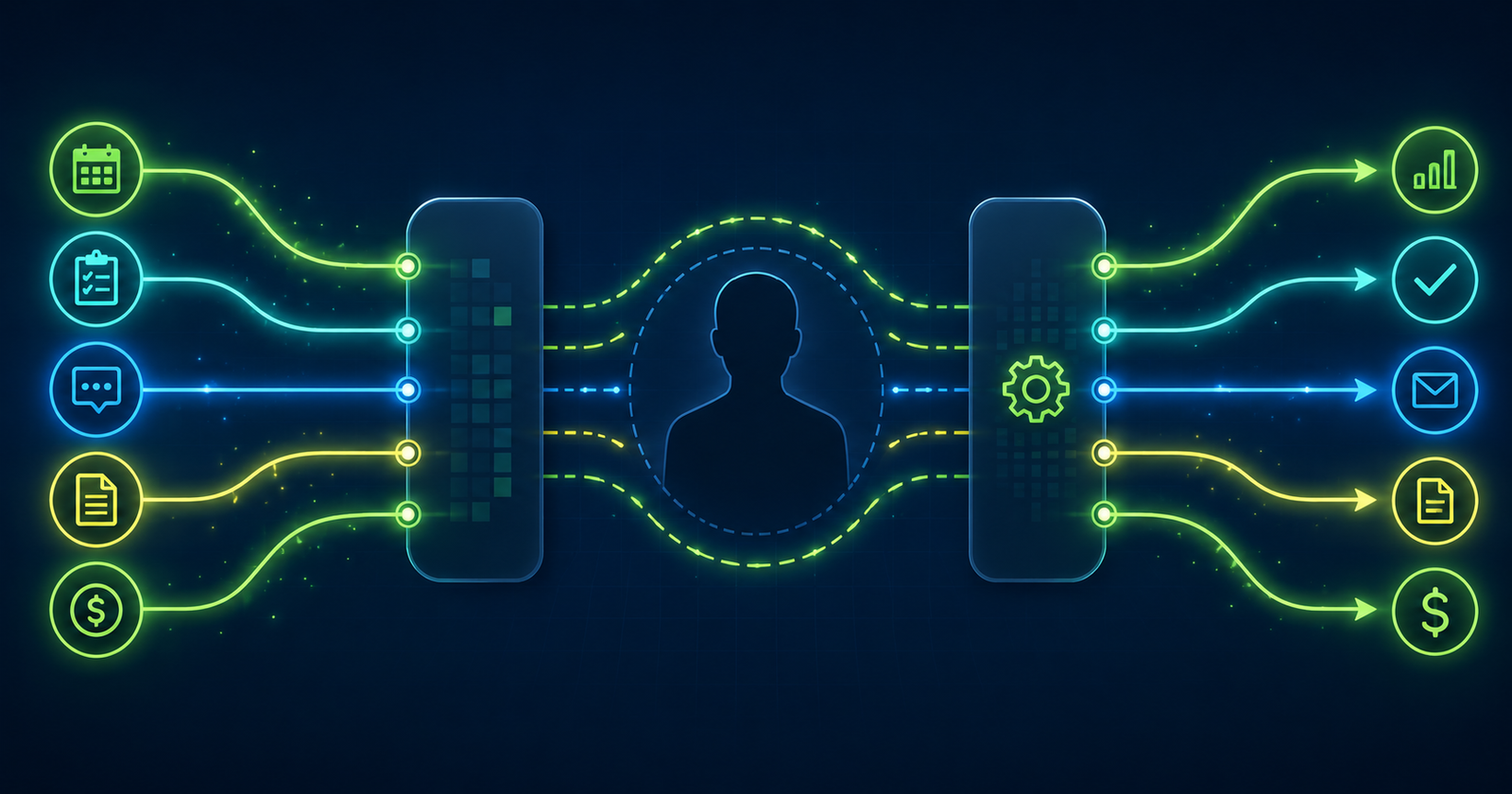
The reflex when a business gets busy is to hire. More volume, more work, more people to handle it. That’s sometimes the right answer. But it’s often not the first answer — especially when the workload is driven by tasks that don’t actually require a human to do them.
Before the next hire, it’s worth looking at what’s filling the hours. Frequently, a significant share of the operational overhead that feels like a staffing problem is actually an automation problem. Here are five places to start.
1. Estimate follow-up
Most service businesses send an estimate and wait. If the customer doesn’t respond, someone has to remember to follow up — and then remember again. This works inconsistently, and leads that could have converted go quiet.
Automatic follow-up sequences — triggered when an estimate is sent with no response after a set number of days — remove the memory requirement entirely. One follow-up two to three days after the estimate. A second a week later. After that, the estimate moves to dormant status automatically. No one has to track it; the system does.
The conversion lift from this alone is often meaningful. A follow-up that reaches 100% of non-responding leads instead of 40% recovers a real number of jobs.
2. Appointment reminders
No-shows and last-minute cancellations are expensive. A scheduled job that doesn’t happen is lost revenue and a blocked time slot that could have been used. Most no-shows are avoidable — the customer forgot, or they had a question they didn’t ask, or they needed to reschedule and didn’t know how to do it without making a phone call.
Automated appointment reminders — sent 24 to 48 hours before the job via text or email, with easy options to confirm or reschedule — reduce no-shows significantly. For a business running multiple jobs per day, the time savings from not making manual reminder calls is substantial. The reduction in no-shows is usually more valuable than the time saved.
3. Review requests
Reviews are the strongest local-search signal for most service businesses. They’re also the thing most businesses get around to asking for inconsistently — when someone remembers, when the customer seemed happy, when there’s time.
Automated review requests sent after job completion — triggered by job status, not by someone’s memory — reach every customer, every time. The request goes out the same way regardless of how busy the week was or whether the technician remembered to mention it. Businesses that automate this consistently outpace competitors on review volume without any additional effort.
Under Google’s current review policy, compliant means: sent post-visit, on the customer’s own device, without scripting what they should say. Automated post-job requests sent via text or email meet that standard.
4. Invoice delivery and payment follow-up
Sending invoices manually means they go out when someone gets to it. Following up on unpaid invoices means someone has to track aging receivables and make calls or send emails. Both are consistent drains on time that have no reason to depend on a human.
Automated invoice delivery triggered by job completion means invoices go out immediately, not a day or two later. Automated payment reminders at set intervals — three days before due, on the due date, three days after — reduce late payments without anyone having to decide who to chase. For businesses with ten or more active jobs per week, the reduction in accounts receivable aging is usually significant.
5. Re-engagement for past customers
For most service businesses, a meaningful share of past customers would hire again — if they thought of it at the right moment. They’re not actively looking for a competitor. They just haven’t been prompted.
Seasonal re-engagement sequences — triggered by time since last job — put the business in front of past customers at natural buying moments. A pressure washing business that sends a spring cleanup email to customers who booked the previous year, or a lawn care company that reaches out before the season starts, is recovering revenue that would otherwise require new lead generation.
The list exists in the customer database. The sequence runs once it’s built. The incremental cost of reaching a past customer is close to zero.
The ARGUS connection
ARGUS is the platform orchestration layer — the system that manages cross-platform event triggers, automation workflows, and agent-based actions. The five automations above aren’t separate implementations. They’re sequences that run inside a single workflow environment, triggered by events in OLIVER or SPARK and executed automatically.
The goal isn’t to reduce headcount. It’s to make sure that when headcount grows, it’s growing into work that actually needs a person — not into operational overhead that a well-configured system can handle.
FAQ
Q: How long does it take to set up automations like these?
A: Most of these are configuration-level work, not custom builds. Setting up a follow-up sequence or an appointment reminder is usually hours, not days — the main variable is how much customization the workflow needs. Complex conditional logic takes longer. Simple triggered sequences are fast.
Q: What if customers complain about automated messages?
A: The key is volume and relevance. A single well-timed follow-up or reminder rarely generates complaints. Where businesses run into problems is with over-automation — too many messages, messages that feel generic, or messages that don’t match where the customer is in the relationship. Less is usually better. Triggered by real events (job completed, estimate sent, payment due) performs better than broadcast sequences.
Q: Do I need to be on the Intelligent Analytics platform to implement these?
A: No. The underlying automations can be configured in most CRM or marketing automation tools. What ARGUS adds is the cross-platform coordination — triggers that span job management, CRM, and communications in a single environment rather than three separate systems trying to stay in sync.
Explore ARGUS at Intelligent Analytics → [/platforms/argus/]

Most conversations about workflow automation stay abstract — "automate your business" without ever showing what that actually looks like end…
Read →Workflow automation gets oversold. The reality is more specific and more useful. Here's what it actually handles, what it doesn't…
Read →