Custom Software & Integrations
When to Build vs. Buy: A Simple Decision Framework
"Should we build this custom or buy something off the shelf?" is a question most small businesses answer with a…
Read →

 FORGE | Custom Software··5 min read·65 views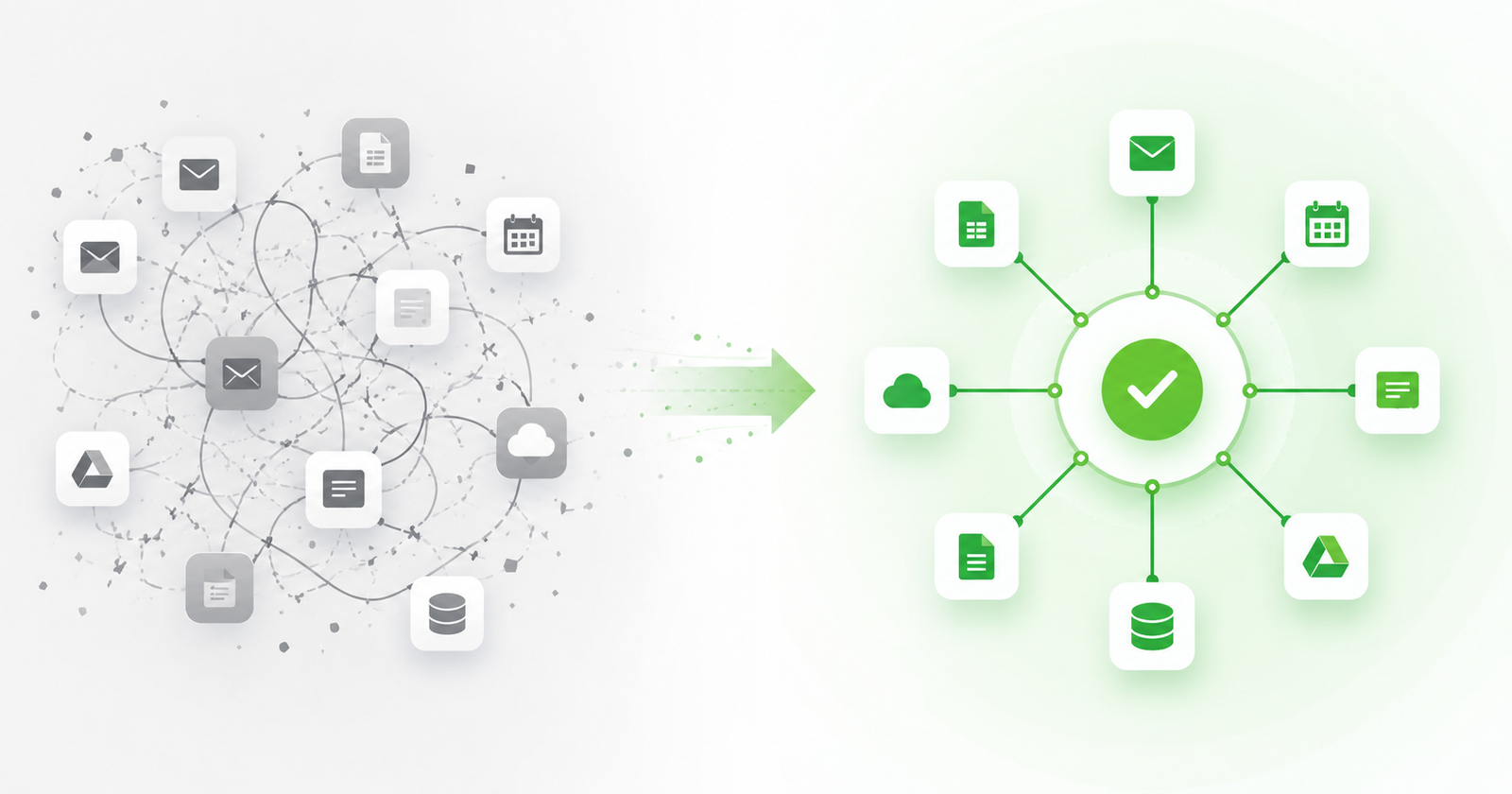
Most businesses don’t think about their software stack until it stops working. By then, the cost is already there — embedded in the hours spent on workarounds, the data entered twice into different systems, the reports that never quite reconcile, and the decisions made on information that’s a week behind.
This is integration debt. And unlike technical debt in code, it accumulates silently — inside the daily routine, not in a codebase anyone audits.
What integration debt actually is
Integration debt is the operational cost of running tools that don’t talk to each other. It shows up in a few consistent patterns:
Duplicate data entry. Customer information entered in the CRM, re-entered in the invoicing tool, sometimes re-entered again in a spreadsheet that serves as the “real” record. Each entry point is a chance for error. Each reconciliation takes time. The downstream effects — billing the wrong amount, contacting the wrong person, scheduling against outdated info — have real costs.
Manual exports and imports. The accounting software doesn’t connect to the job management system, so every week someone exports a CSV and imports it somewhere else. It works until it doesn’t — a missed export, a format change, a column that mapped wrong — and then it takes hours to find what broke.
Reporting that lives in spreadsheets. When systems don’t share data automatically, the only way to get a cross-system view is to pull it manually. The spreadsheet becomes the source of truth by default, which means someone has to maintain it, and the data is always a little stale.
Context that disappears between tools. A customer calls about a job. The person answering can see their contact record in the CRM but has to open a different system for the job history, a third for the invoice status, and a fourth to check the last communication. The context exists. It just doesn’t travel.
Why businesses accumulate it
Integration debt builds the same way most technical debt does: one reasonable decision at a time.
The scheduling tool was the best option for scheduling when you bought it. The accounting software was what the bookkeeper already knew. The CRM came with the website. None of those decisions were wrong in isolation. The problem is that they weren’t made as part of a system — they were made as separate choices, and now they don’t fit together.
Small businesses are especially prone to this because the pain is gradual. At five jobs a week, the manual export is a minor inconvenience. At fifty jobs a week, it’s a part-time job. By the time the friction becomes visible enough to act on, the workarounds have become part of how the business operates, and untangling them feels expensive and risky.
The cost that doesn’t show up on the P&L
Integration debt doesn’t appear as a line item. It appears as:
Time. Staff hours spent on manual reconciliation, data entry, and workarounds.
Errors. Billing mistakes, scheduling conflicts, missed follow-ups that happened because the data was in the wrong place at the wrong time.
Decision lag. Reports that take days to compile instead of hours. Decisions made on week-old data instead of current data.
Hiring pressure. Businesses hire administrative staff to manage the overhead created by disconnected systems. The cost of that staff is real; the fact that it’s driven by software fragmentation is invisible.
For a business running $500K to $2M in revenue, the realistic cost of integration debt — staff time, errors, and hiring overhead — is often tens of thousands of dollars per year. It’s money being spent without a bill arriving.
When custom work makes sense
Not every integration problem requires custom software. Many are solved by better configuration of existing tools, or by choosing a platform that was designed as a system from the start rather than assembled over time.
But there’s a class of problems where custom work pays for itself quickly:
The specific integration doesn’t exist. Two tools that the business is deeply committed to don’t have a native connection, and the workaround costs more in staff time than the build would.
The workflow is specific enough that off-the-shelf doesn’t fit. Unusual job types, multi-party approval flows, custom pricing logic, industry-specific requirements. The closer the workflow is to generic, the less likely custom work is worth it.
The data problem is systemic. Multiple systems with years of history, all needing to reconcile into a single view. At a certain scale, the only path to a clean data environment is a planned migration and integration build, not another workaround.
The FORGE approach
FORGE handles custom software and integrations as a service engagement — not a product install. That means scoped work: what exists, what the gap is, what the build looks like, and what it actually costs. The goal is to close the integration debt in a way that doesn’t create new debt in the process.
For businesses already on the Intelligent Analytics platform, FORGE integrations are built to connect with the existing layer stack. For businesses that aren’t, the engagement is designed to work with whatever the current environment looks like.
FAQ
Q: How do I know if my integration debt is bad enough to address?
A: A few signals: you have staff whose primary job involves moving data between systems, you regularly make decisions on data you know is outdated, or you’ve been meaning to “fix the spreadsheet problem” for more than six months without making progress. Any of those is a flag worth taking seriously.
Q: Is it better to replace tools or to integrate what we have?
A: Depends on how embedded the tools are and how well they actually work for their core job. A tool that’s deeply embedded and working well is often worth integrating rather than replacing — especially if it was chosen for a specific reason. A tool that’s marginal in functionality and poorly integrated is often a candidate for replacement as part of the project, not just integration.
Q: What’s the typical timeline for a custom integration project?
A: Scoping first — that’s usually a week or two of documentation and discovery. Build time depends heavily on complexity. Simple one-way data syncs might be two to four weeks. Bidirectional integrations with custom logic can run two to four months. The variable is usually the complexity of the systems involved, not the build itself.
Explore FORGE at Intelligent Analytics → [/platforms/forge/]

"Should we build this custom or buy something off the shelf?" is a question most small businesses answer with a…
Read →"Good enough" software rarely feels like a mistake in the moment it's purchased. It feels like a reasonable, cost-conscious decision.…
Read →Most businesses start with SaaS — and should. But the tipping point where off-the-shelf stops fitting is predictable. Here's the…
Read →